
Try a demo company
Look around a business like yours with a year of sample records, change anything, reset it or remove it, then start your real business.
A demo company is a business filled with a year of sample records for one kind of business: customers and vendors, items and stock, invoices, bills, payments, expenses, a bank account reconciled up to last month and, for a shop or a restaurant, today's shift at the till. Reports and dashboards have figures to show from the first minute.
Demo companies are free on every plan and never billed. Every feature is open in them, with no limits.
Open a demo company
- Choose Try a demo company on your personal overview, or open the workspace switcher at the top and choose Try a demo company.
- Under Names in, choose the language for the sample names (customers, items, accounts). The screens follow your own language as usual.
- Choose Try this demo on the kind of business closest to yours: Shop, Restaurant, Wholesale, Services, Manufacturing or Construction.
- Adimone adds the sample records, which takes about a minute. The card shows how far it has got; you can leave the page and come back.
- When it's ready the demo opens by itself. Next time, choose Open on its card or pick it in the workspace switcher.
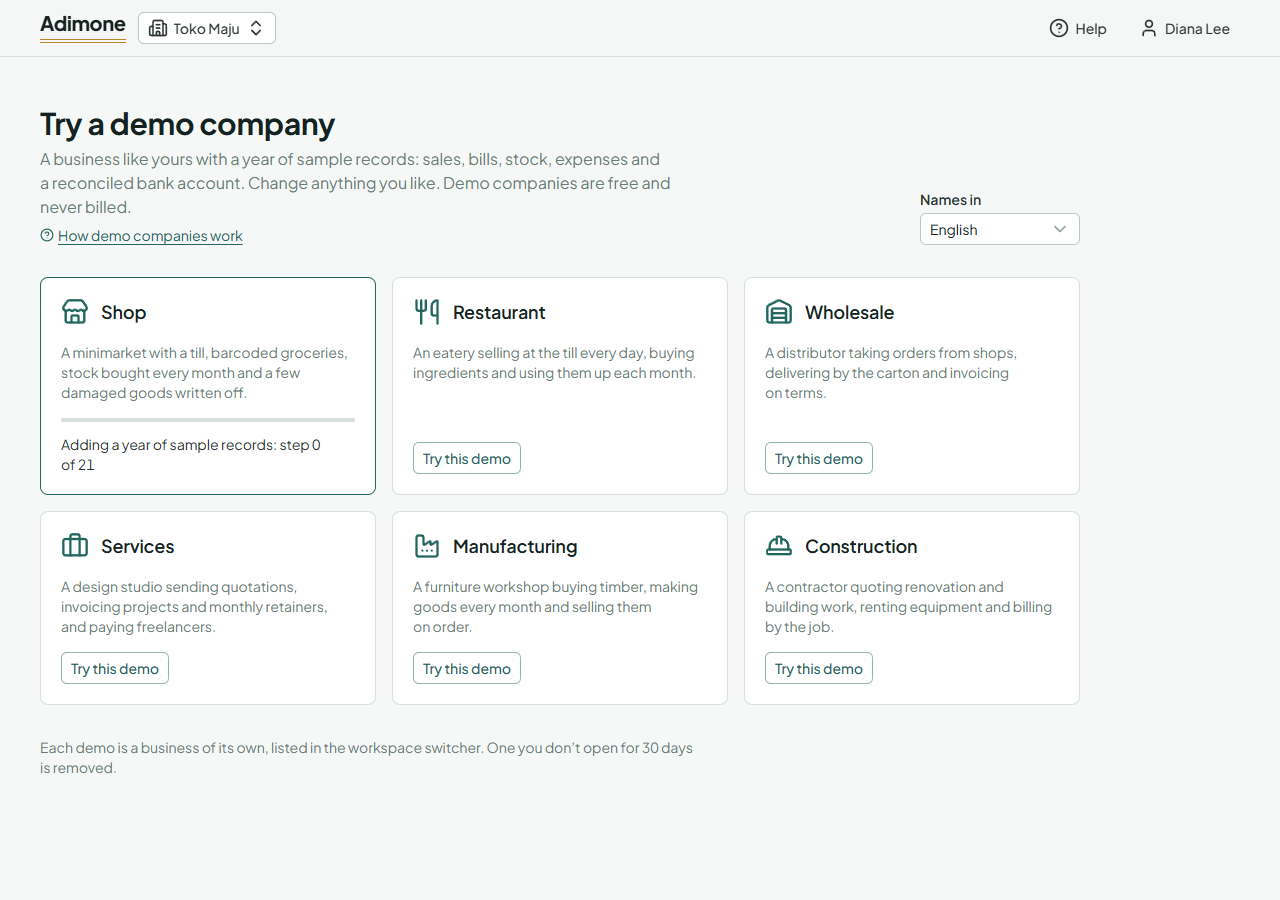
You have one demo of each kind. Each is a business of its own in the workspace switcher, with its own name ending in "(demo)".
Inside a demo
A dashed Demo bar sits at the top of every screen of a demo company, so you can't mistake it for your real books. Everything works as in a real business: post an invoice, receive a payment, close a month, try Undo. Nobody else sees it, and nothing in it is sent to real customers or the tax office.
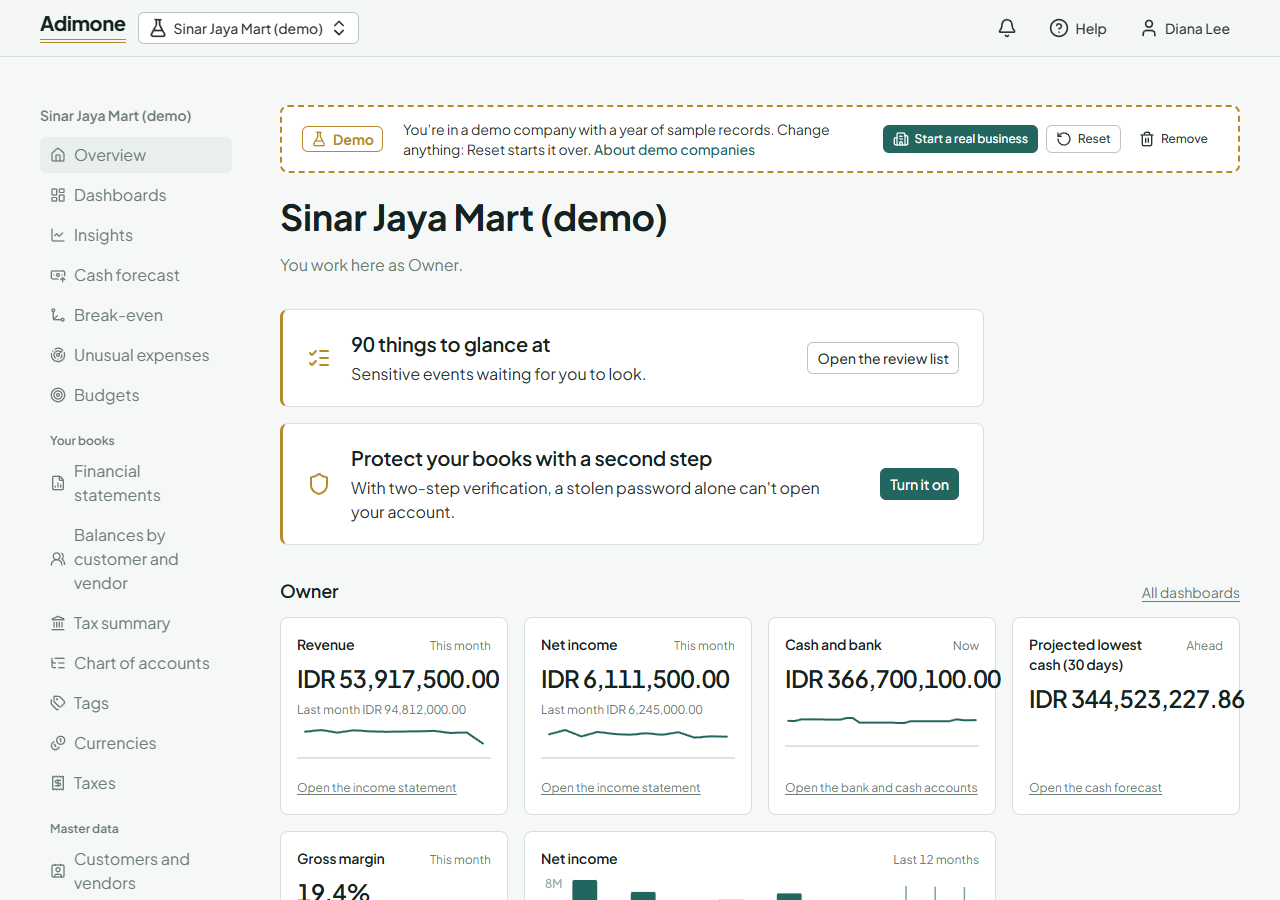
Billing doesn't apply to a demo: its Billing page only offers to start a real business. A demo can't be handed over to someone else either.
Reset or remove it
- Reset sets the demo up again from the start in a new business, as if you opened it for the first time. Everything you changed in it is removed for good.
- Remove deletes the demo and everything in it. You can open a new one of the same kind any time.
You can open or reset demos up to 10 times a day. A demo you don't open for 30 days is removed by itself.
Start your real business
Choose Start a real business in the demo bar (or Create a business in the workspace switcher). Your real business starts empty: nothing is copied from the demo. See Create a business and Set up your books.