
Approvals
Send a write-off, refund or expense claim the owner's rule holds to an approver, and approve or turn down what others send you.
The owner can ask that some actions wait until someone agrees: writing off what a customer owes, paying a customer's credit back, writing off or recording a refund of a vendor's credit, and expense claims. Each kind gets an approval rule on Checks and balances: from which amount it waits, and who approves. Everything done by the owner goes through at once, and is recorded as done by the owner.
Once a rule is on, Approvals appears in the menu, beside Overview, with the number of requests waiting for you.
Sending something for approval
Do the action as usual. If the rule holds it, the dialog says This needs an approval and from which amount the rule applies. Add a note for the approver if it helps (why it's needed, what to check) and choose Send for approval. Nothing is posted yet.
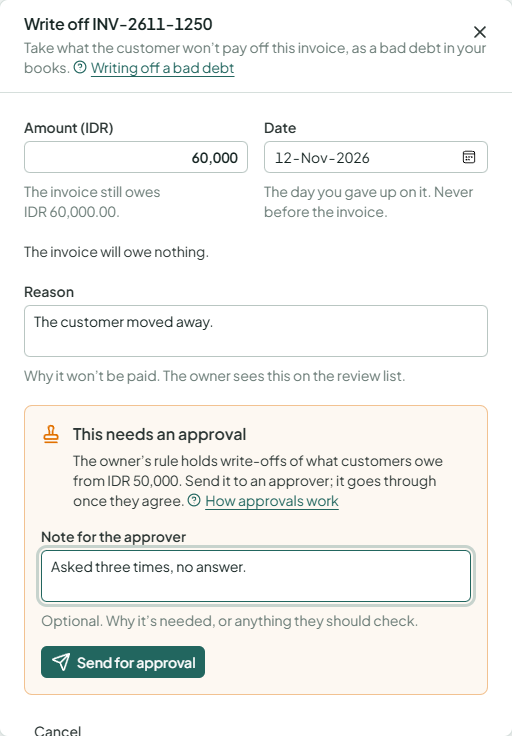
The approvers get an email with a link to the request. You get an email when they decide. Until then the request waits under Sent by you in Approvals; open it and choose Withdraw if it's no longer needed.
Who approves
A level of the rule names who approves it: anyone who may approve that kind (by default the owner and administrators), people in one role, or only the owner. A request needs one approval for each level its amount reaches, in order: with levels from 1,000,000 and from 10,000,000, a write-off of 15,000,000 needs two approvals, by two different people.
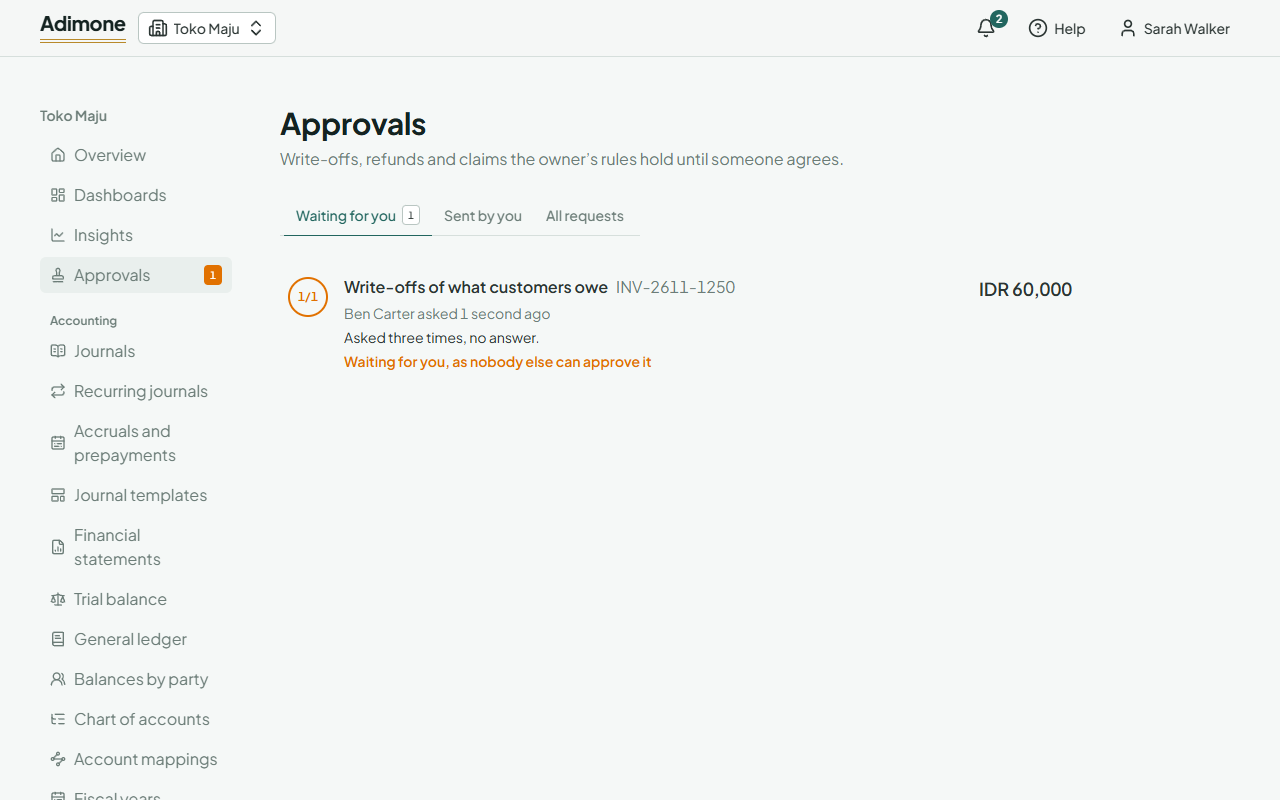
You never approve your own request, and nobody approves two steps of one request. When nobody else may approve a step, it goes to the owner, and the request says so.
Approving or turning down
Waiting for you lists the requests whose next step is yours. Open one to see what was asked: the amount, the note, the date and reason, and a link to the invoice, receipt, payment or note it acts on. Who approves shows each step: approved (and by whom), waiting (and for whom), or still to come.
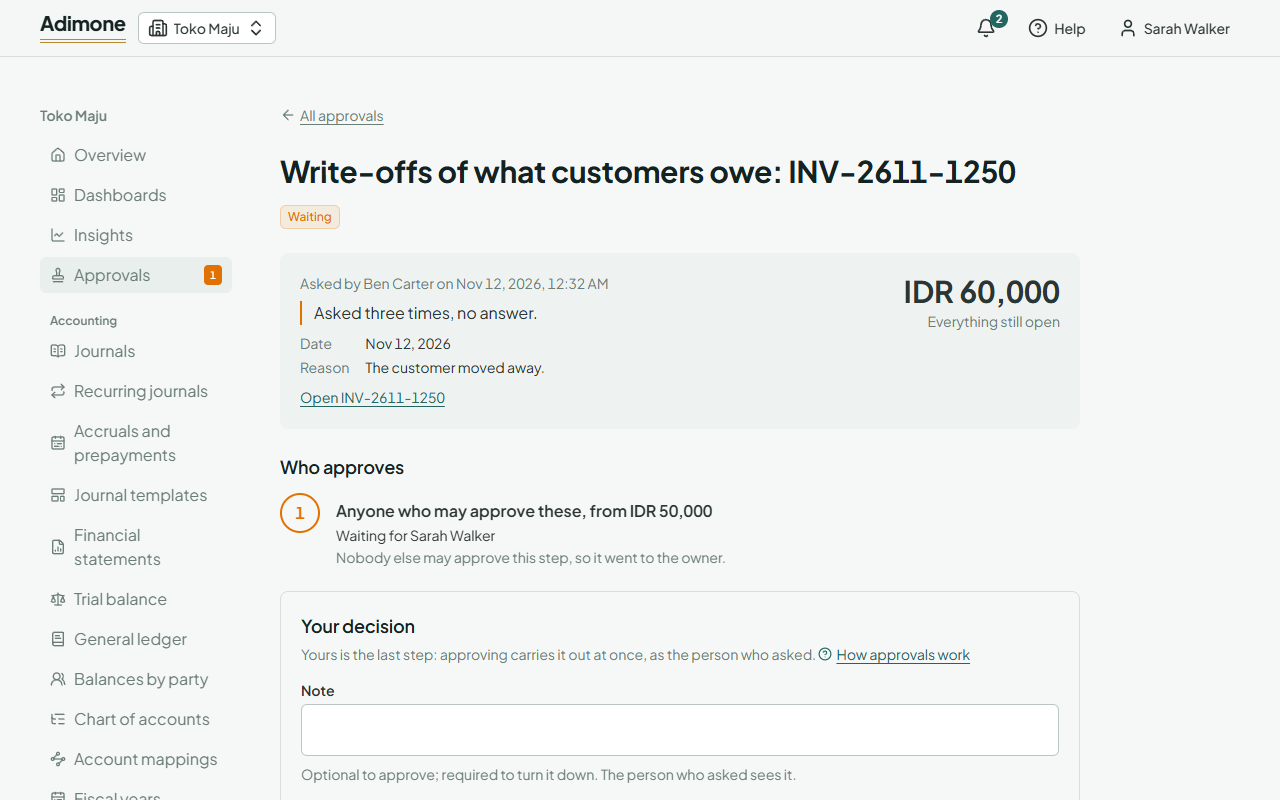
- Approve passes it to the next step. On the last step, approving carries it out at once, as the person who asked: the write-off or refund is posted then.
- Turn down needs a note, which the person who asked sees in their email and on the request.
If the action can no longer be done as asked (for example, the invoice was paid meanwhile, or the day is now in a closed period), approving says why and the request keeps waiting; turn it down so they can ask again.
All requests lists every request you may see, by status. Requests and decisions can't be undone; to correct an approved write-off or refund, void it on its record.