
Manage tax codes and groups
Change a tax code's rates, add your own codes, group codes a line often takes together, and give a code its own account.
A tax code is one tax your documents can charge, reclaim or withhold, such as VAT at the standard rate, VAT on exports or a withholding tax. Groups bundle the codes a line often takes together.
Read the tax codes
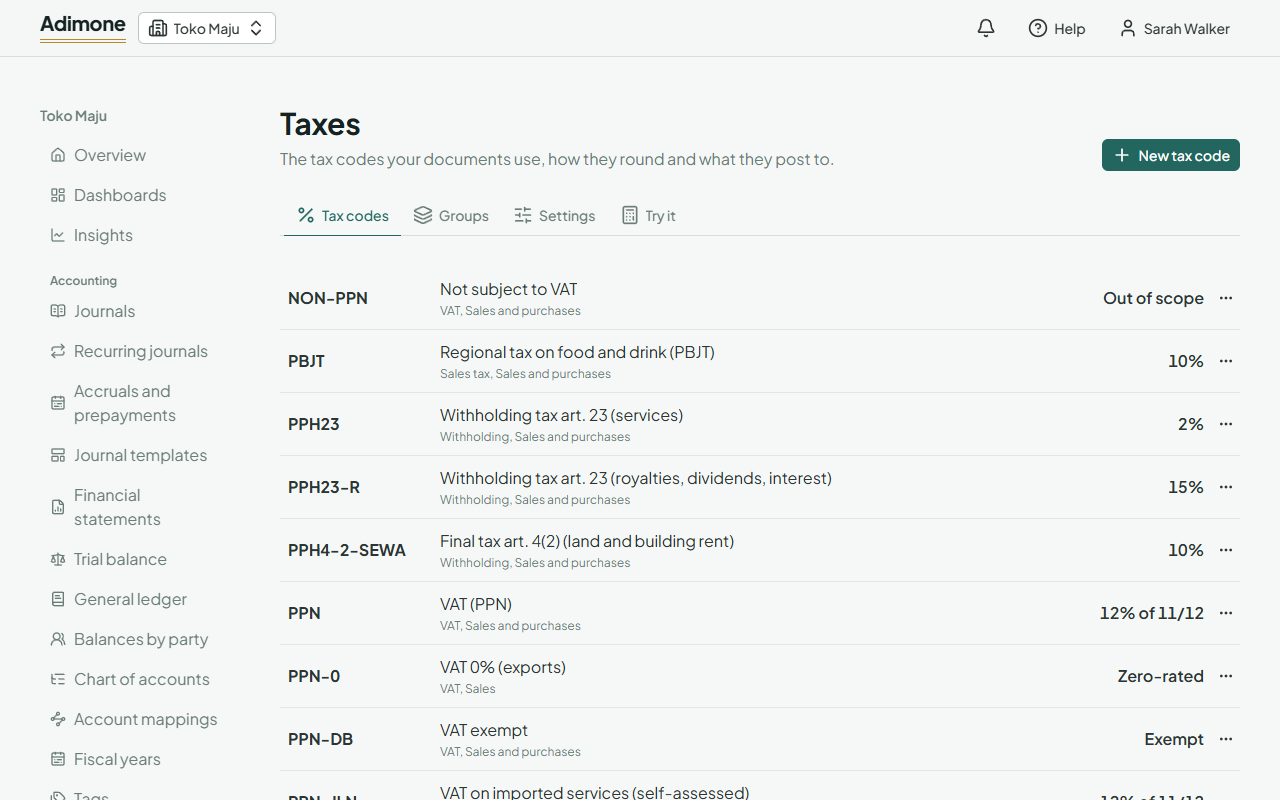
Open Taxes. Each code shows its kind, the documents it's used on, and today's rate. A rate on part of the amount reads like 12% of 11/12; a change that's coming shows under it with its date. Codes that aren't at the standard rate show their treatment, such as Exempt.
Add or change a code
Choose New tax code, or choose a code to open it.
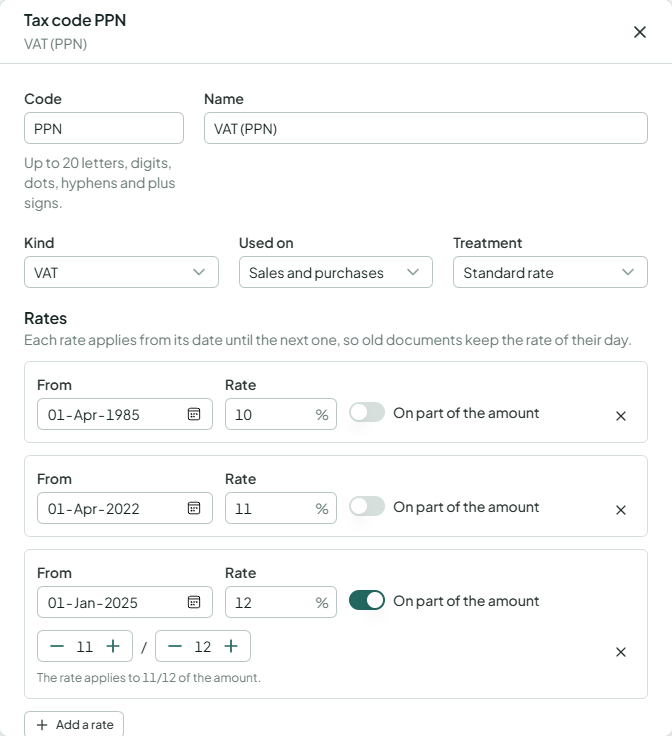
- Code and Name are what documents show.
- Kind is VAT, sales tax or withholding. Used on says whether it's for sales, purchases or both.
- Treatment: a Standard rate code taxes the amount; Zero-rated, Exempt and Out of scope codes tax nothing but are reported apart.
- Rates: each rate applies from its date until the next, so old documents keep the rate of their day. Add a rate when the law changes rather than editing the old one. Turn on On part of the amount when the rate applies to a share of it, such as 12% of 11/12.
- Reclaimable on purchases: tax you pay on purchases is claimed back instead of added to their cost. Tax on tax taxes the amount plus the taxes before it. Self-assessed is for VAT you owe and reclaim yourself, such as on services bought from abroad.
- Posts on sales to and Posts on purchases to are the account roles its amounts go to; Part of the cost adds purchase tax to the cost.
- Report line adds codes up together in tax reports.
Choose Save changes. Documents already made keep the taxes they computed. Codes are never deleted: use ⋯ and Deactivate to stop offering one on new documents.
Give a tax code its own account
By default every VAT code posts to the same tax accounts (see account mappings). To keep one code apart, open it and pick an account under Accounts of its own. Clear it to use the default again.
Group codes
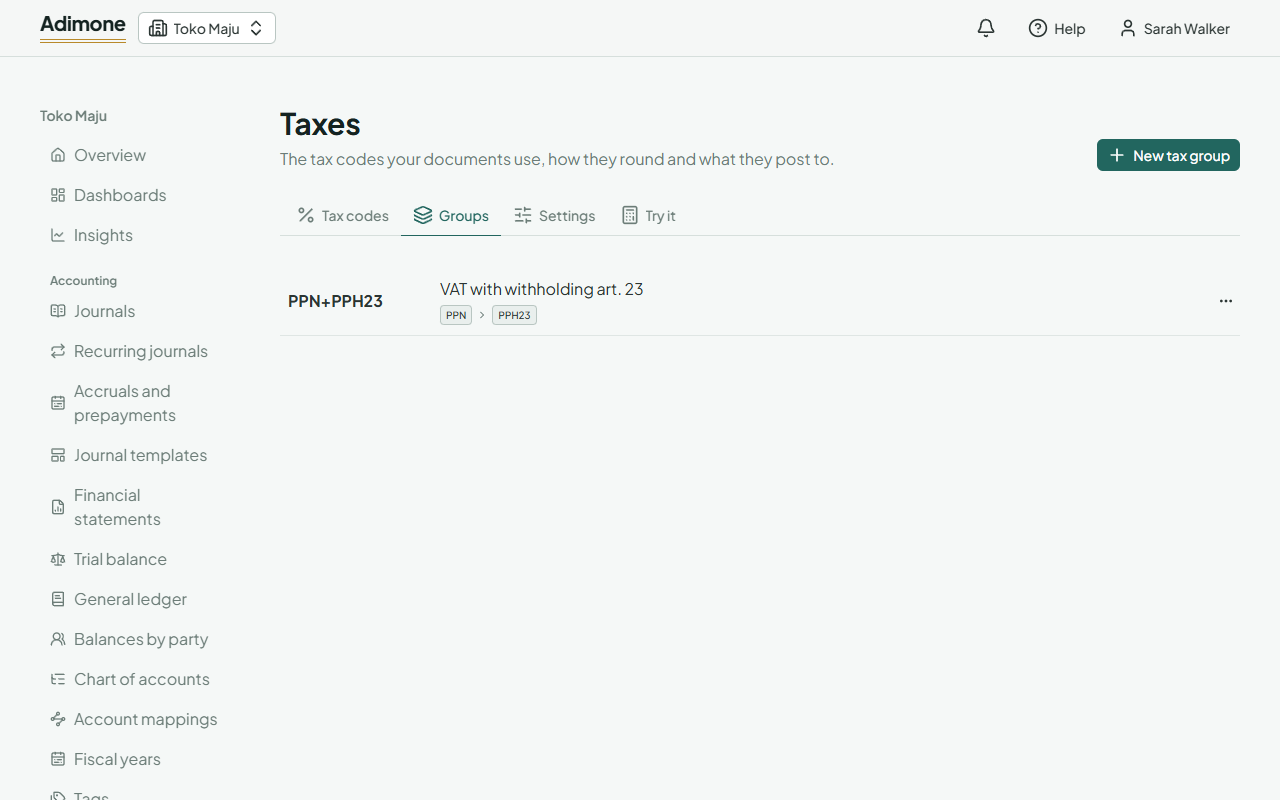
On the Groups tab, choose New tax group, give it a code and a name, and add up to five codes in the order they apply. Use the arrows to reorder them. A line can then take the whole group at once.
Deleting a group doesn't change documents that took codes from it.