
Fill in a journal template
Record an entry your accountant set up by typing its amounts, and keep track of your drafts.
Your accountant sets up the entries the business writes often as journal templates. To record one, you type only its amounts; the accounts and the rest of the entry are already there.
Fill one in
- Open Journal templates and choose Fill in next to the entry you're recording. When to use it under each name helps you pick.
- Enter the Date.
- If the template asks for an Amount, type it: lines that are a share of it are worked out for you, such as the tax withheld from rent.
- Type the amount of each line that asks for one.
- Check the lines and the totals. The entry must balance: equal totals are ruled off and marked Balanced.
- Choose Save draft. If you're also allowed to post, Post puts it straight into the books.
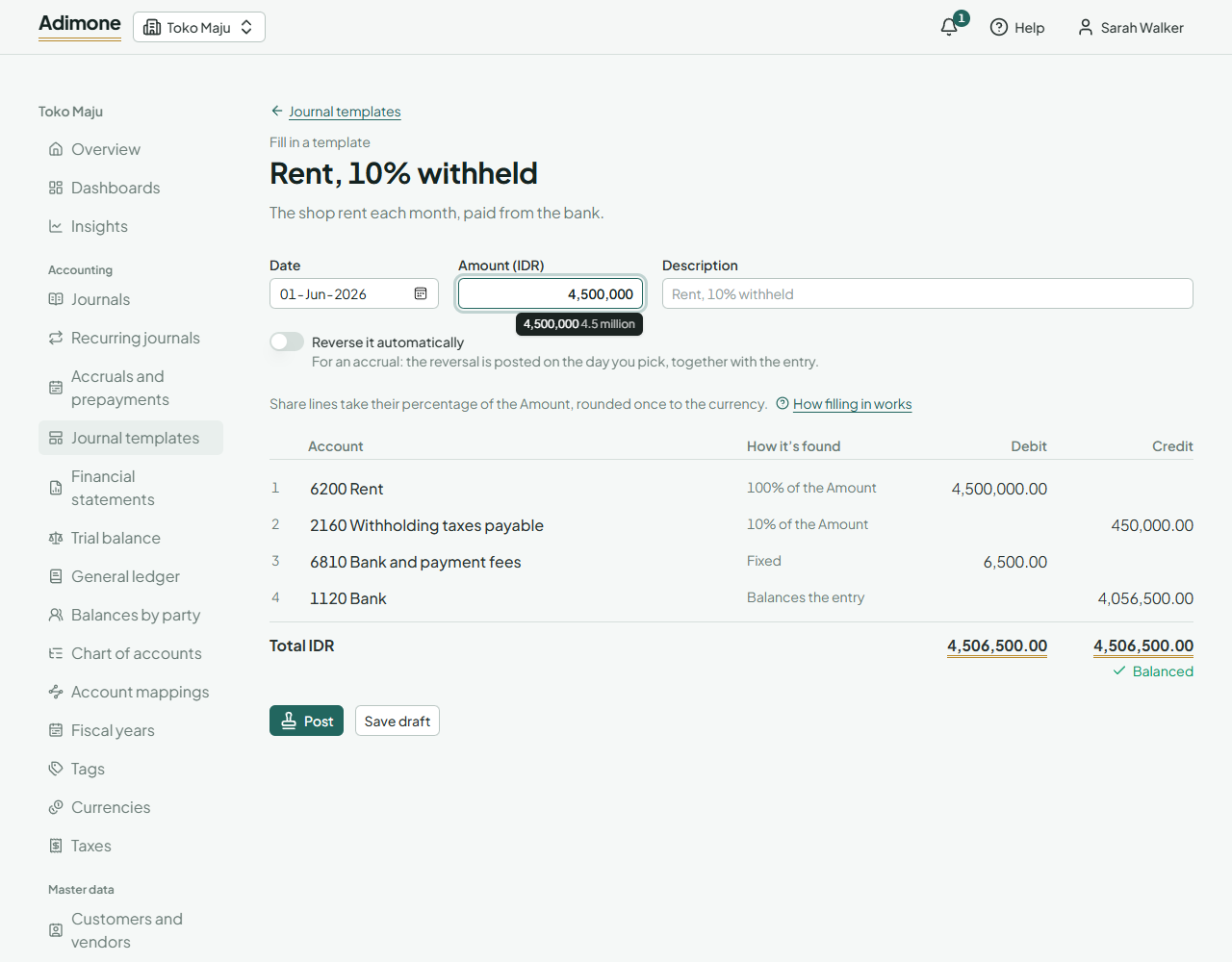
A line that comes to 0, such as a tax on a tiny amount, is left out of the entry. If the totals don't balance, check the amounts you typed; if they're right, ask your accountant to check the template.
Your entries
My entries lists the journals you filled in from templates, latest first. Open a draft to fill it in again: change the date or the amounts and choose Save draft. A draft doesn't keep the Amount, so type it again. Delete draft removes a draft you no longer need.
Someone allowed to post checks your drafts and posts them. Once posted, an entry can't be changed; ask your accountant to reverse it if it's wrong.
If a template is deactivated or deleted after you saved a draft from it, the draft can't be filled in again: delete it, or ask your accountant.