
Accruals and prepayments
Spread insurance paid up front, a subscription billed in advance or a cost not yet billed over the months it belongs to.
Some amounts belong to more months than the one they're paid or billed in. A year of insurance paid in January is an expense of every month of the year; six months of service billed up front is income of each of those months. A schedule spreads such an amount: each month it posts that month's share by itself, so every month's profit is right without a journal by hand. Schedules come with the Starter and Growth plans.
Which kind
- Prepaid expense: you paid in advance, for insurance, rent or a software licence. Record the payment against a prepaid account (an asset, such as Prepaid expenses); each month the schedule moves a share of it into the expense.
- Deferred revenue: a customer paid in advance, for a subscription or a service contract. Record the invoice or receipt against an unearned revenue account (a liability, such as Customer deposits); each month the schedule moves a share of it into income.
- Accrual: a cost you've used but not been billed for yet, such as electricity read at the month's end, or income earned but not yet invoiced. Each month the schedule books it against an accrued account (a liability for a cost, an asset for income) and reverses it on the first day of the next month, when the real bill or invoice takes over.
Set one up
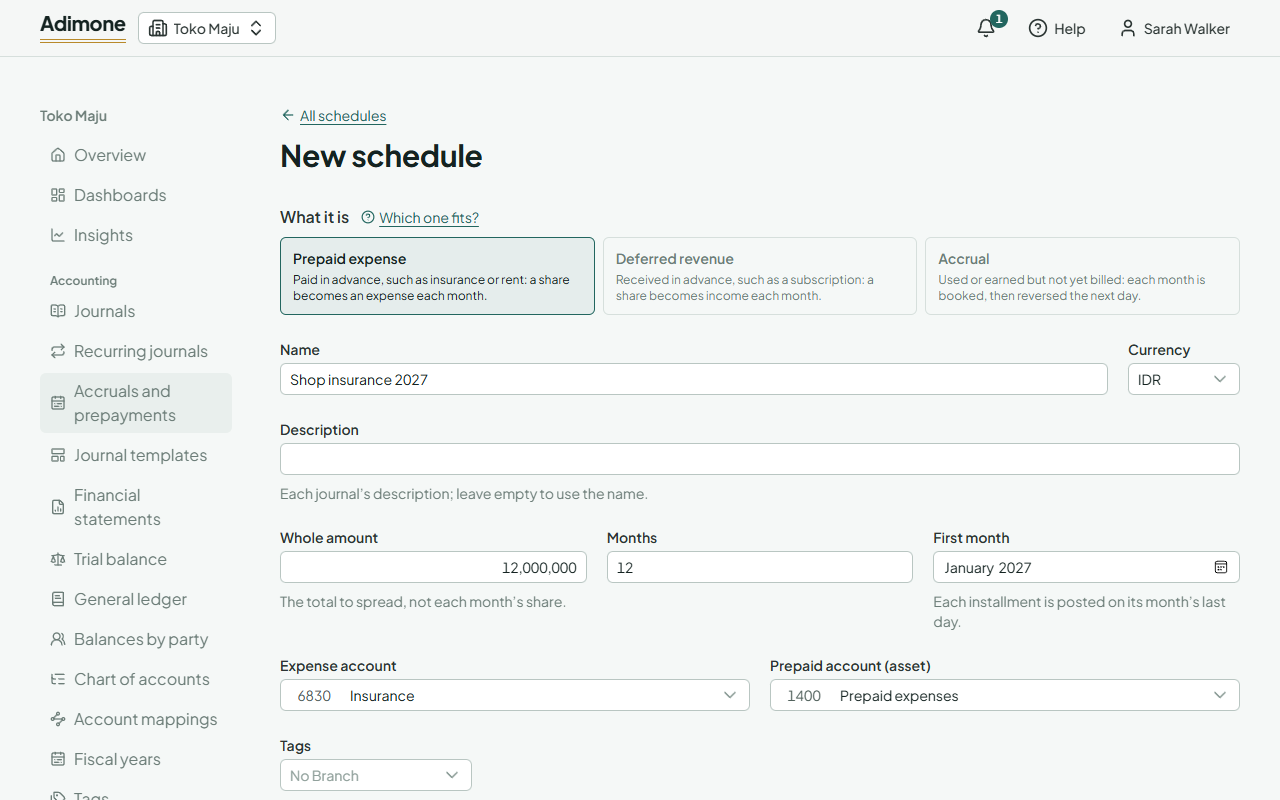
- Open Accruals and prepayments and choose New schedule.
- Pick What it is: prepaid expense, deferred revenue or accrual.
- Give it a Name. The Description goes on each journal; leave it empty to use the name.
- Enter the Whole amount (the total, not each month's share), the number of Months and the First month.
- Pick the two accounts. The lists only offer accounts of the right type: an expense and an asset for a prepayment, income and a liability for deferred revenue.
- Add Tags to put the expense or income on a branch, department or project.
- Check What it will post below the form, then choose Set up schedule.
The amount is split into equal shares rounded to the currency; when it doesn't divide evenly, the first months take the extra. Each installment is posted on its month's last day, so a schedule started in January posts on January 31, February 28 and so on.
The installments are posted in the name of whoever last set up, changed or resumed the schedule, so that person needs permission to post journals. When you close a month, the installments due by its end are posted first.
Pause, resume or delete
- Pause stops it; nothing is posted while it's paused.
- Resume starts it again. Months it missed are posted then, up to today.
- Delete stops it for good. The journals it already posted stay in the books.
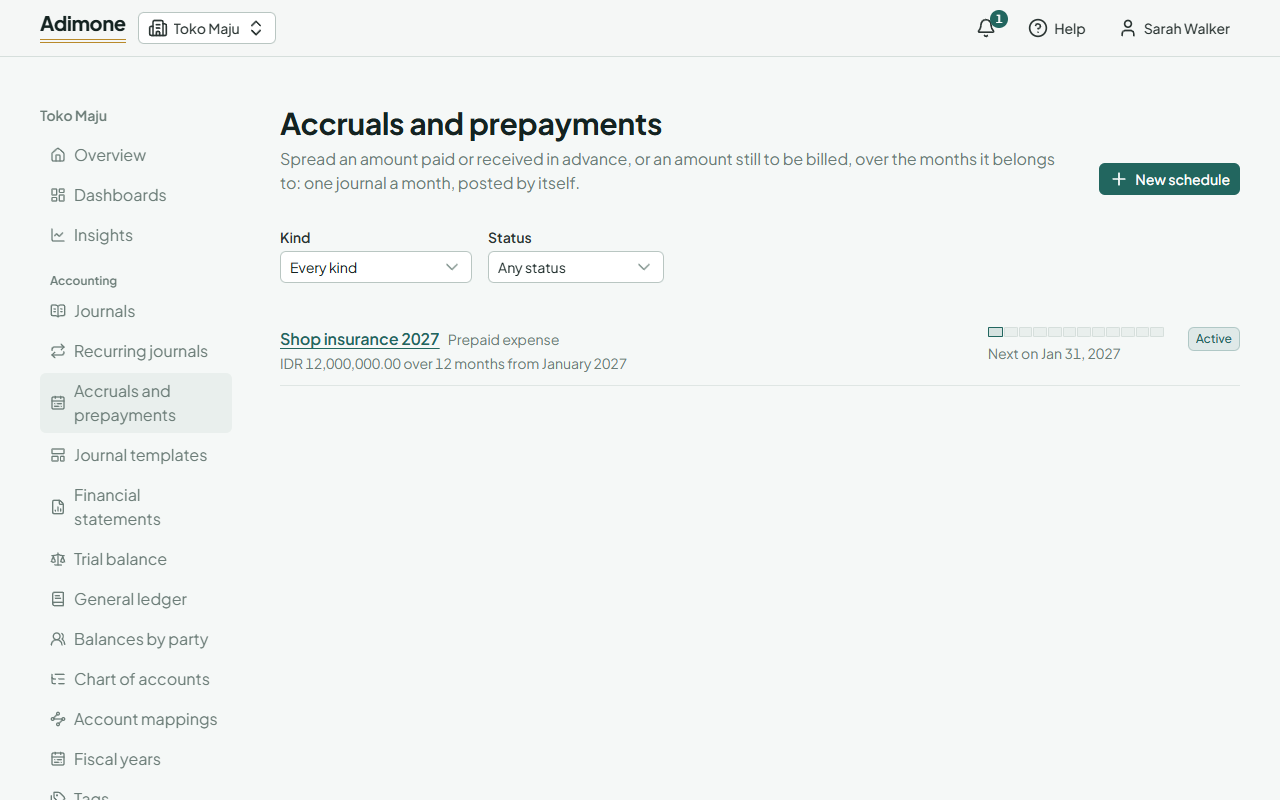
Each posted installment links to its journal. To undo one, reverse that journal: the schedule doesn't post that month again.
Once an installment is posted, the kind, currency, amount, months and first month are fixed; the name, description, accounts and tags can still change and apply from the next installment. To spread a different amount, delete the schedule and set up a new one.
When an installment isn't posted
If a month can't be posted, for example because the books are locked or the month is closed, the schedule shows Needs attention with the reason. Fix the cause and choose Resume.
On a plan without schedules, nothing is posted and you can't set up new ones; the ones you have stay readable, and you can still pause or delete them.