
Move your books in
Start in Adimone from another program or from spreadsheets: the opening date, account balances, what customers owe you, what you owe vendors, your stock, and checking that it adds up.
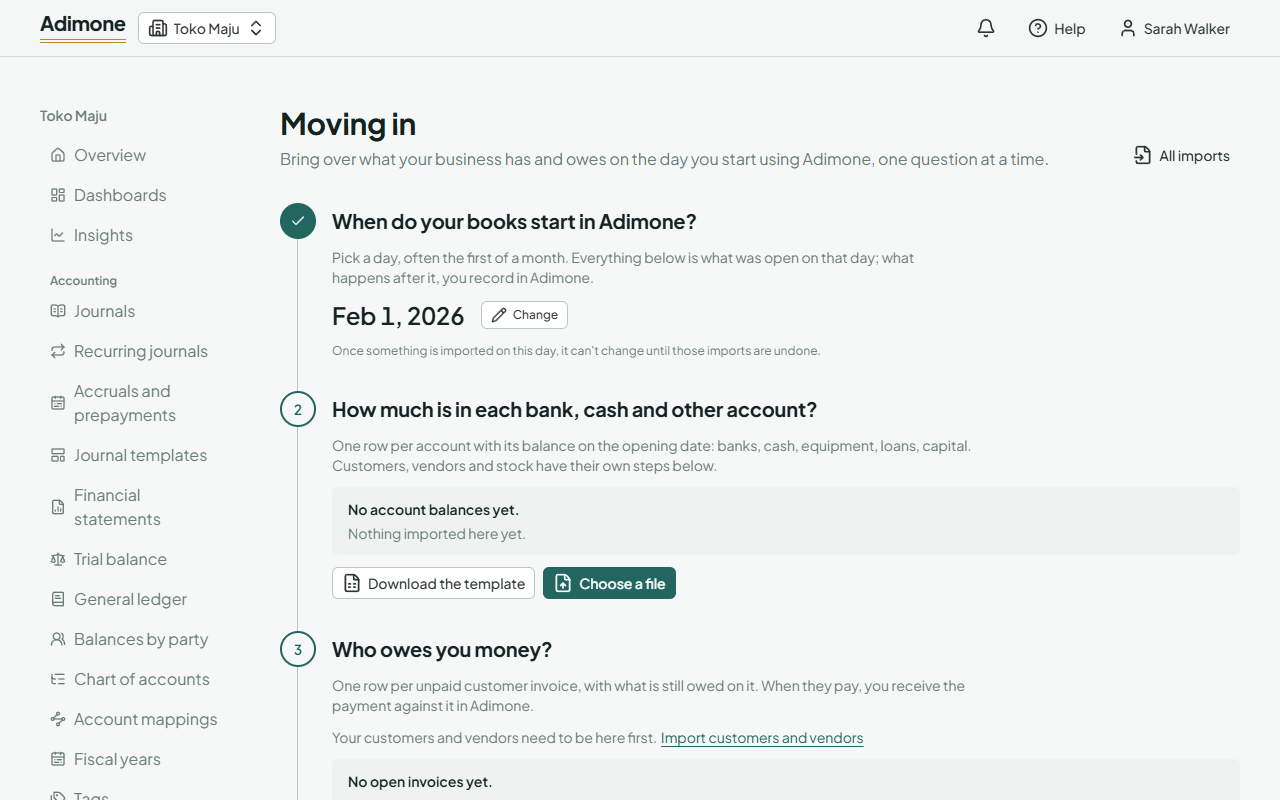
Moving in brings over what your business has and owes on the day you start using Adimone, so your first reports start from the right figures. Open Moving in (in the menu, under Business). It asks one question at a time; each answer is a spreadsheet you import.
Moving in needs the permission to import files (the accountant has it) together with the permission to post what each step brings in: journals for account balances, customer invoices, vendor bills, and stock adjustments.
Pick the opening date
The opening date is the day your books start in Adimone, often the first day of a month or of your fiscal year. Everything you import is what was open on that day, and it all posts on that day; what happens after it, you record in Adimone.
- A fiscal year has to cover the day: add the fiscal year first if it doesn't.
- The owner, or someone who manages fiscal periods, sets it.
- Once something is imported on the opening date, the date can't change until those imports are undone.
Customers, vendors and items first
Unpaid invoices name their customers, bills their vendors, and stock its items, so import those first, or add them by hand.
Answer each question
Each step has its own template: choose Download the template, fill it in, and choose Choose a file. The file then goes through the usual import steps: match the columns, check and fix the rows, and import. When you're done, Back to moving in returns here.
How much is in each bank, cash and other account? One row per account with its balance: banks, cash, equipment, loans, capital. Write each amount as a debit or a credit (a negative amount counts as the other side). The import posts one opening journal per currency.
- Receivables and payables are refused here: they come in as unpaid invoices and bills, so each customer's and vendor's balance is right too.
- Inventory accounts are refused too: stock comes in item by item.
Who owes you money? One row per unpaid customer invoice: the customer, the invoice number, its date and due date, and what is still owed. Each row becomes a posted invoice marked Opening, with no lines or PDF. When the customer pays, receive the payment against it; the aging and statements show it like any invoice.
Who do you owe? One row per unpaid vendor bill, the same way. Each row becomes a posted bill marked Opening that you pay like any bill.
What stock do you have, and what did it cost? One row per item and warehouse: the quantity on hand and the cost per unit (lot or serial numbers and expiry dates too, for tracked items). The import makes one draft stock adjustment per warehouse; someone who may post stock adjustments checks and posts them. Until they're posted, the step shows the drafts still to post.
Check that it adds up
Under the steps, Adimone compares your books with what the steps brought in, in your base currency:
- What customers owe you and What you owe vendors: the receivable and payable accounts against the unpaid invoices and bills. A difference means a journal posted to those accounts without naming a customer or vendor.
- Stock value: the inventory accounts against the value of your stock. A difference usually means stock drafts not posted yet.
- Left in Opening Balance Equity: every opening entry posts its other side to Opening Balance Equity. When everything is in, what is left is your owner's equity before Adimone: move it to capital or retained earnings with a journal, or find the balance that's missing. The health check reminds you while something is left.
Undo a step
Each import can be undone from its own page while nothing settles what it made: undoing voids its opening invoices and bills, reverses its opening journals and removes its stock drafts. An undone import can't be redone; import the file again instead.