
Invoice customers
Invoice a sales order or a delivery, or write an invoice on its own; due dates, posting, what the customer still owes, the meterai mark, and voiding an invoice.
An invoice tells a customer what they owe and by when. Posting it books the sale: the customer's receivable, the revenue and the taxes. Goods no delivery took leave stock with it. The invoice gets its number and its PDF, which never changes afterwards.
You can invoice in three ways: from a confirmed sales order, from a posted delivery, or on its own for a sale without an order.
Write an invoice
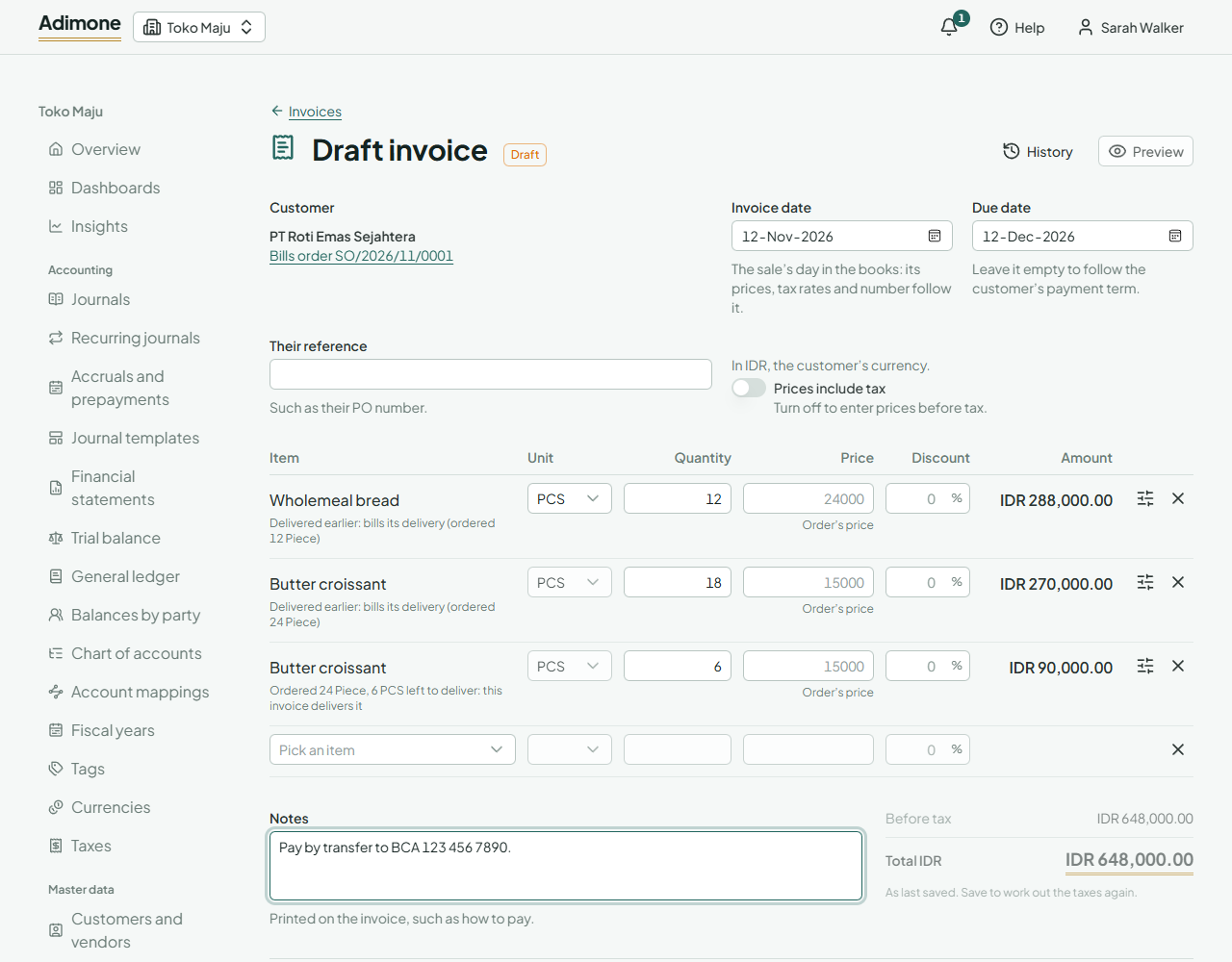
- Choose Invoice on a confirmed order or a posted delivery. A draft opens with everything left to bill:
- from an order, the lines its deliveries took out and haven't been invoiced yet, then what is still left to deliver;
- from a delivery, its lines not yet invoiced.
- Each line says what it bills. Delivered earlier lines bill a delivery: their goods already left. Lines showing this invoice delivers it take the goods out of stock when you post.
- Lines of an order keep the order's price and discount (Order's price). Typing another price needs the price override permission, as on quotations.
- Remove a line you won't bill now. Add a line of the order or its deliveries puts one back.
- Check the Invoice date: it is the sale's day in the books, and its prices, tax rates and number follow it. Leave Due date empty to follow the customer's payment term.
- Choose Save draft to finish later, or Post invoice.
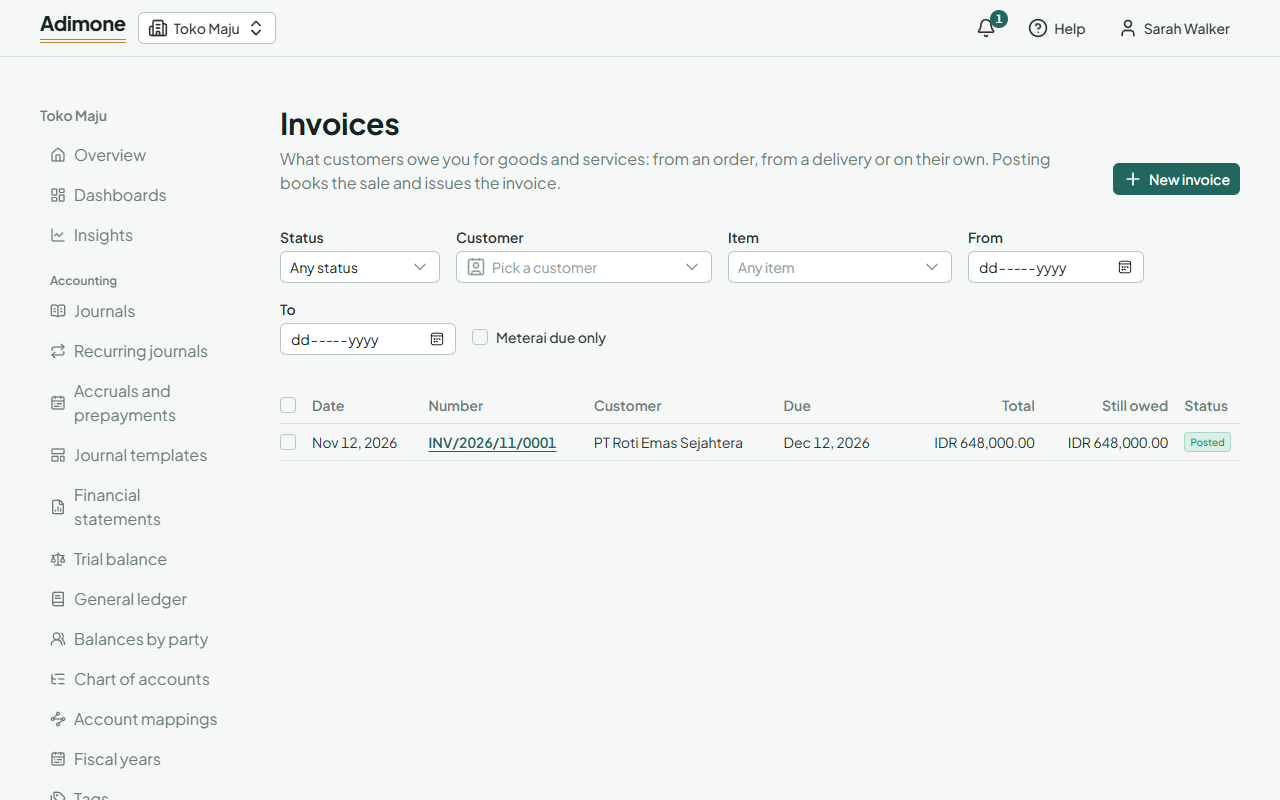
For a sale without an order, open Invoices in Sales and choose New invoice. Pick the customer and add the items: prices come from the customer's price list, as on quotations.
Where the goods leave from
Goods an invoice delivers itself leave the default warehouse. When the business has more than one, open a line's options to choose Leaves from. Items tracked by lot or serial number take the earliest expiry first. If the lots don't cover the quantity, posting says how much is short.
Post the invoice
Post invoice books the sale on the invoice's date and issues the invoice. Only people with the post permission see the button. Others save the draft for them to check.
If the owner chose that someone else must check invoices, the person who wrote or last changed the draft can't post it. The page says so and lets you send it to someone who can.
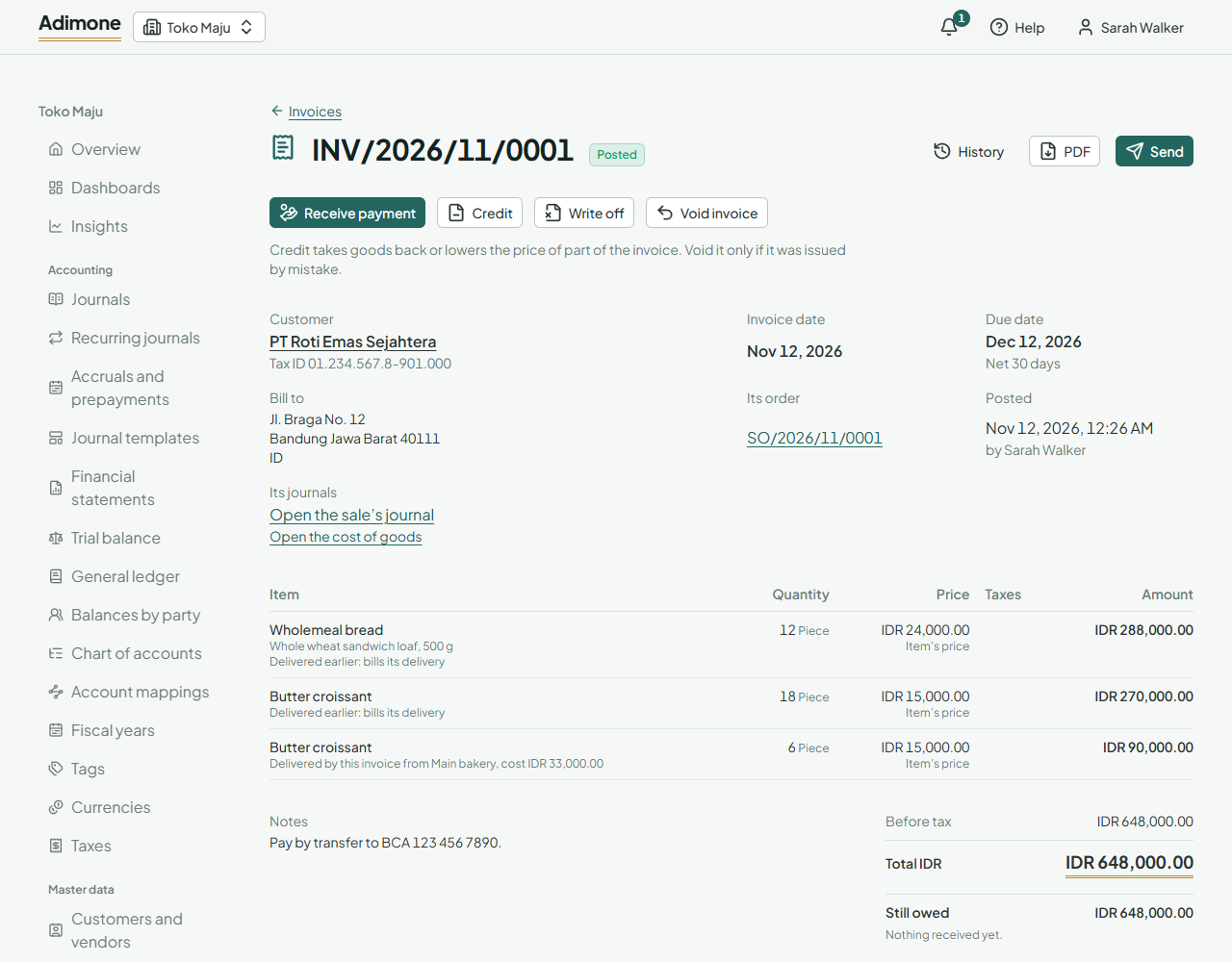
- PDF opens the issued invoice to print or download; Send emails it or makes a link to it (Send documents to customers).
- Still owed is what the customer hasn't paid yet. An invoice past its due date with something owed shows Overdue.
- Receive payment records the customer's payment and settles the invoice (Record customer payments). Payments and credits lists the receipts and credit notes that settle it.
- Those who see the ledger find links to the sale's journal and, for goods it delivered, the cost of goods. The journal links back to the invoice and names the customer on the receivable line.
Follow an order's invoices
Orders and deliveries show Partly invoiced or Invoiced, and how much of each line was invoiced, in the item's base unit. See the order's invoices lists them. In Deliveries, tick Not wholly invoiced to find goods that left but aren't billed yet.
Meterai due
When the business marks where a meterai is due, a paid invoice over the threshold prints a box for the duty stamp and shows Meterai due. Tick Meterai due only in the list to find them.
Void an invoice
For an invoice issued by mistake, open it and choose Void invoice. Pick the day the sale is reversed (the invoice's own day or later) and give the reason. The sale is reversed, goods it delivered itself come back into stock, and its order and deliveries count it as not invoiced again. The issued invoice stays as it was, and the owner's review list shows the void.
To take goods back or lower a price, choose Credit on the invoice instead (Credit customers). The invoice then shows how much of each line was credited and returned, and lists its credit notes. An invoice that receipts or credit notes settle can't be voided: reverse the payments first. Neither can a delivery an invoice bills: void the invoice first.