
Record customer payments
Record money a customer paid, settle their invoices oldest first, keep the rest as their credit, apply credit later, reverse a payment, and void a receipt.
A receipt records money a customer paid you. Posting it puts the money into your cash or bank account and lowers what the customer owes. The receipt settles their invoices; whatever no invoice takes stays as the customer's credit until you apply it.
Record a receipt
- Open a posted invoice and choose Receive payment, or go to Receipts in Sales and choose Record a receipt. From an invoice, the receipt starts with what it owes, settling it.
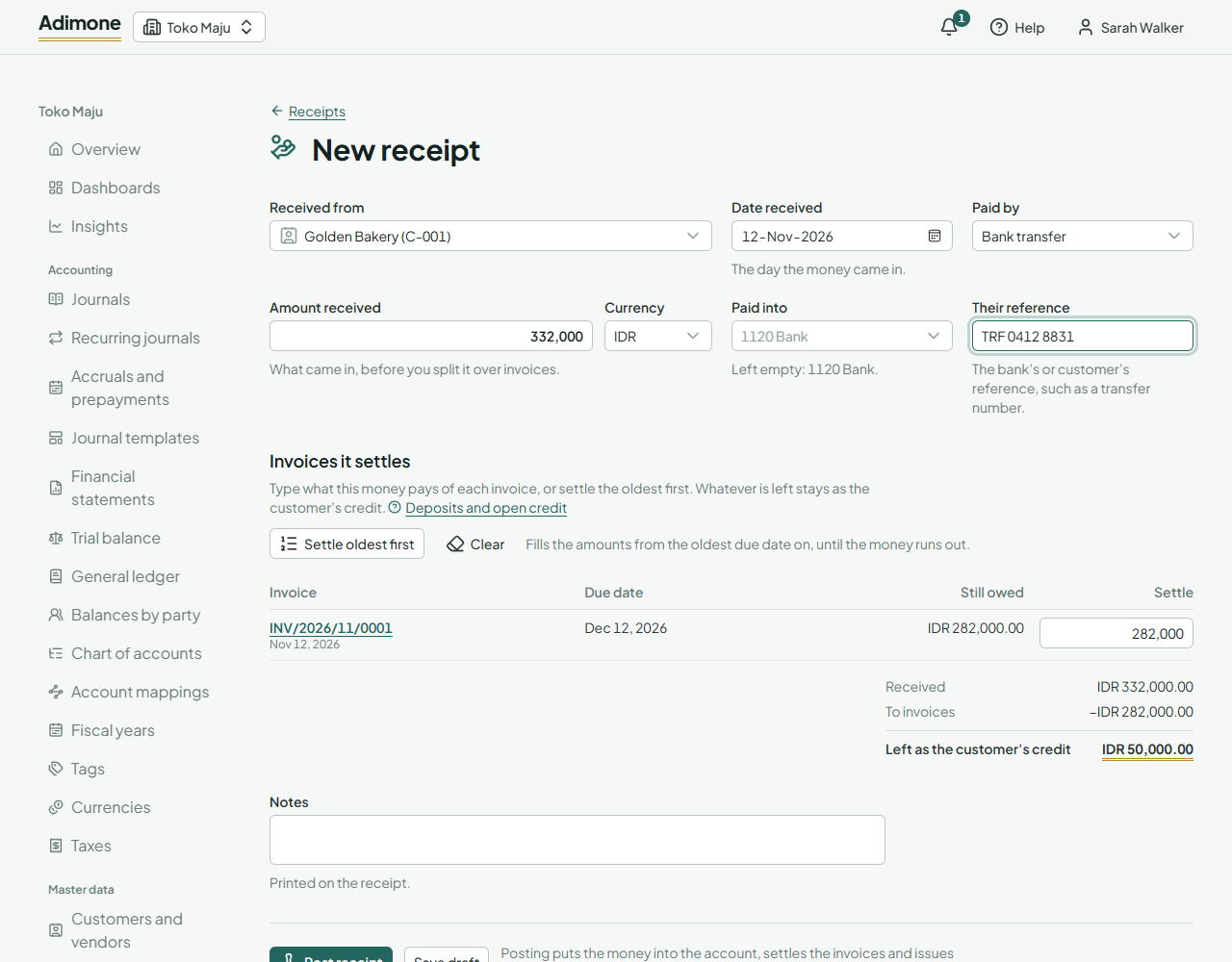
- Pick the customer in Received from.
- Fill in Date received (the day the money came in), Paid by and Amount received. The currency is the customer's; change it for a payment in another currency.
- Paid into is the cash or bank account the money went into. Left empty, cash goes to the account set for cash and the other methods to the one set for the bank, in Account mappings.
- Add the bank's or customer's Reference, such as a transfer number.
Choose the invoices it settles
Under Invoices it settles, the customer's open invoices in the receipt's currency are listed, the oldest due date first, with what each still owes.
- Type what the money pays of each invoice, or choose Settle oldest first to fill them from the oldest on until the money runs out.
- An invoice can't take more than it owes, and together they can't take more than was received.
- The total under the list shows what goes to invoices and what is Left as the customer's credit.
Choose Save draft to finish later, or Post receipt.
Post the receipt
Post receipt puts the money into the account, settles the invoices and issues the receipt with its number. Only people with the post permission see the button; others save the draft for them to check. If the owner chose that someone else must check receipts, the person who recorded it can't post it.
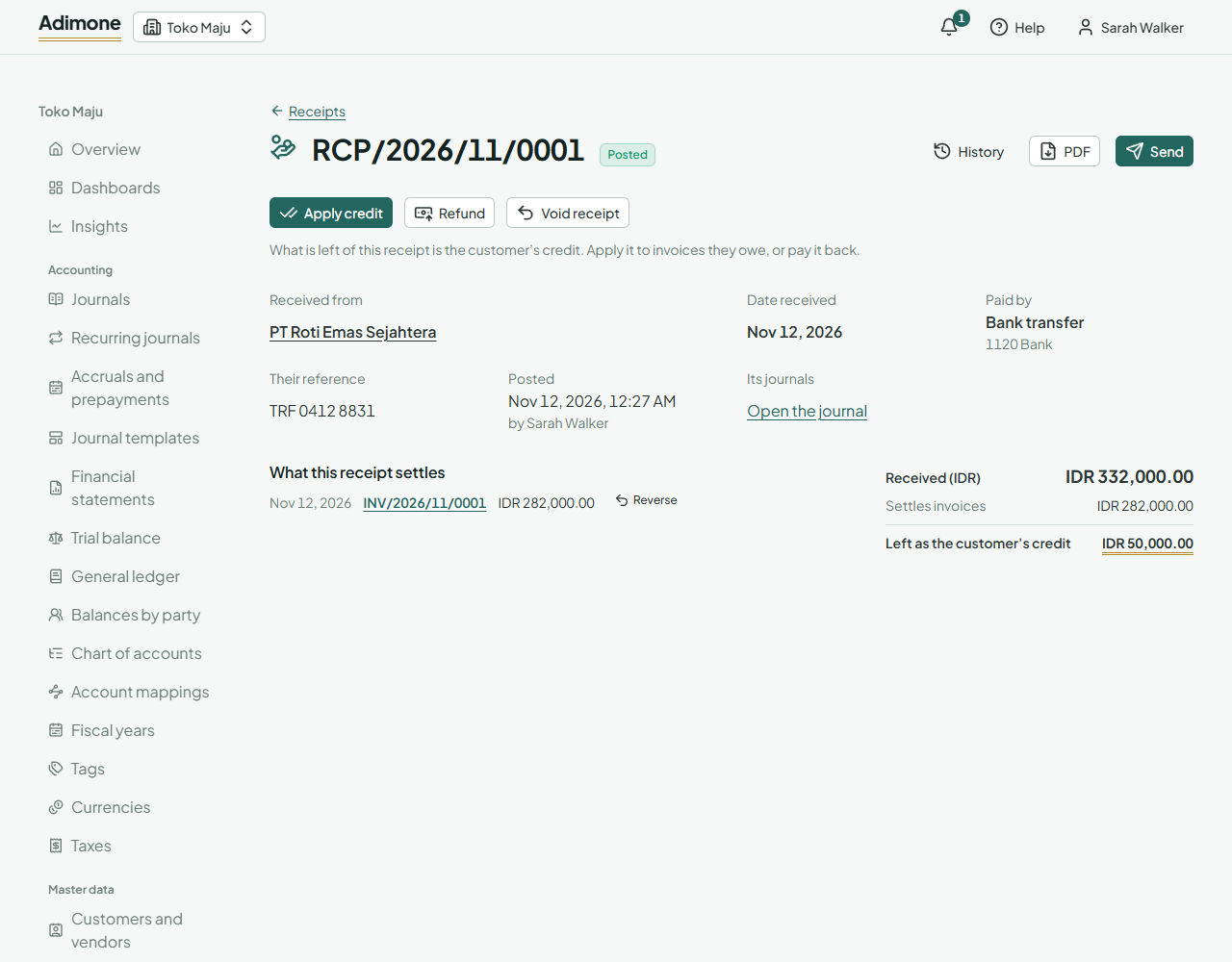
- PDF opens the issued receipt; Send emails it or makes a link (Send documents to customers).
- Each invoice it settles shows the payment under Payments and credits, and what it still owes goes down. A fully settled invoice reads Paid.
- Those who see the ledger find the receipt's journal, which names the customer and links back to the receipt.
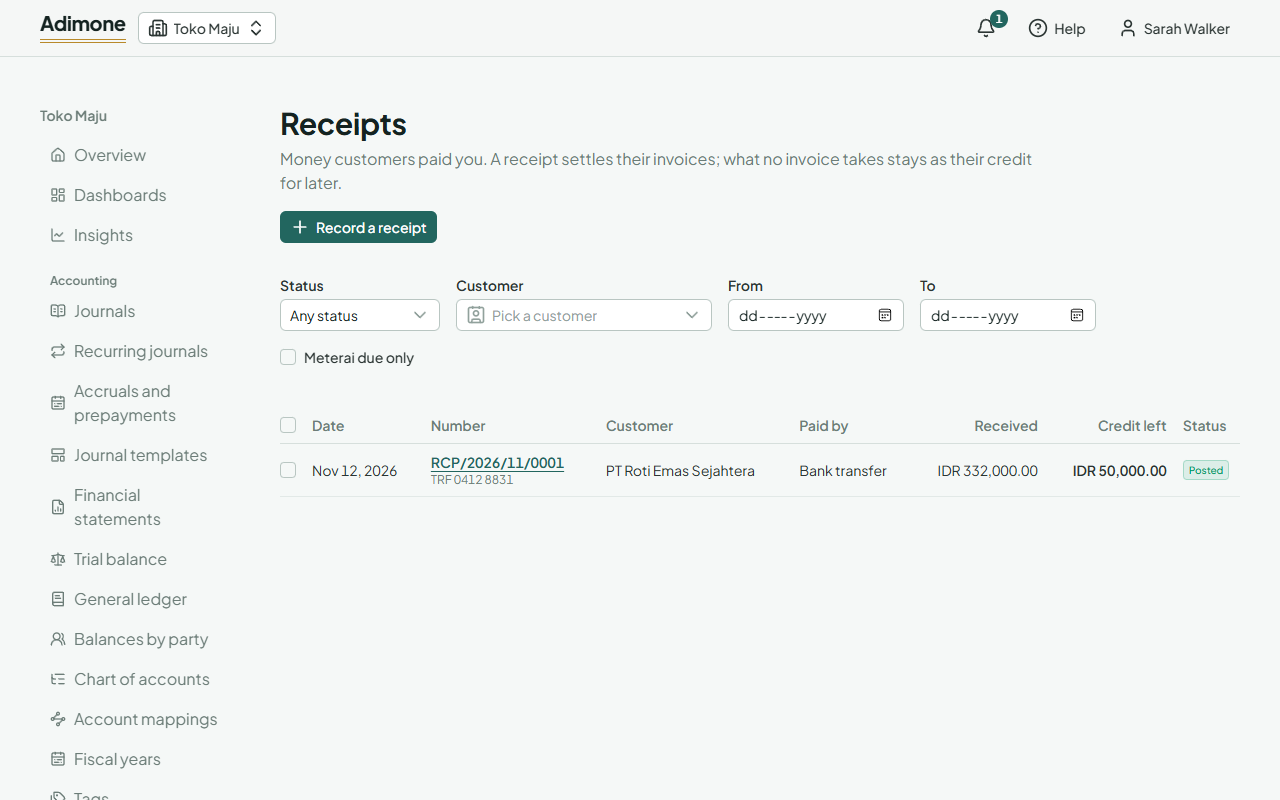
- When the business marks where a meterai is due, a receipt over the threshold shows Meterai due. Tick Meterai due only in the list to find them.
Deposits and open credit
Money that no invoice takes yet, such as a deposit before you invoice, stays on the receipt as the customer's credit. It lowers what the customer owes overall, and Credit left shows it on the receipt and in the list.
To use it later, open the receipt and choose Apply credit. Pick the day it applies (the invoices count as paid from then), type what it pays of each open invoice or choose Settle oldest first, then Apply credit. A credit note with credit left works the same way with Apply to invoices. When the customer wants the money back instead, choose Refund (Pay a customer's credit back).
Exchange differences on payments
An invoice and its payment in a foreign currency usually have different exchange rates. When a payment settles the invoice, the difference between the two rates posts as an exchange gain or loss, so the customer's receivable clears in both currencies. Each payment links to its Exchange difference journal for those who see the ledger.
Reverse a payment
To take a payment off an invoice, such as money you put on the wrong invoice, choose Reverse beside it on the invoice, receipt or credit note. Pick the day and give the reason; the owner's review list shows it. The invoice owes that amount again and the credit is open again, ready to apply elsewhere.
Void a receipt
Void a receipt only when the money never arrived, such as a bounced transfer. Open it, choose Void receipt, pick the day (its own or later) and give the reason. The money comes back out of the books and every invoice it settled owes again. The issued receipt stays on file.
An invoice that a receipt or credit note settles can't be voided. Reverse the payment first, or credit the invoice instead.