
Support inbox and feedback
Answer users' messages to Adimone support, move a message to the feedback queue or back, and triage bug reports and feature requests in batches.
Users reach Adimone from the app in two ways (see Contact support and send feedback). Contact Adimone support lands in the console's Support inbox, where a person answers. Report a bug or suggest a feature lands in the Feedback queue, which nobody answers: the reports are downloaded in batches and triaged in the repository. Support admins and billing admins open both, under Support in the console's menu.
Answer a message
When a user writes, every admin who can answer gets an email with the topic and a link, never the message itself. The Support inbox badge counts the conversations waiting for a reply.
- Open Support inbox. It shows the conversations Waiting for a reply first, with when the last message came in; one waiting a day or more turns red. Use Status and Topic to see others.
- Open a conversation. You see the message and every reply, and beside them who sent it, the business it's about (its name only), the screen they were on, and the language to reply in.
- Write Your reply in that language and choose Send the reply. It's emailed to the sender as you wrote it, and the conversation becomes Answered. Never ask for passwords or card numbers.
- When there is nothing more to do, choose Close the conversation. A closed conversation can't be answered by either side; the user sends a new message if they need more.
If the user writes back, the conversation is Waiting for a reply again and you get another email.
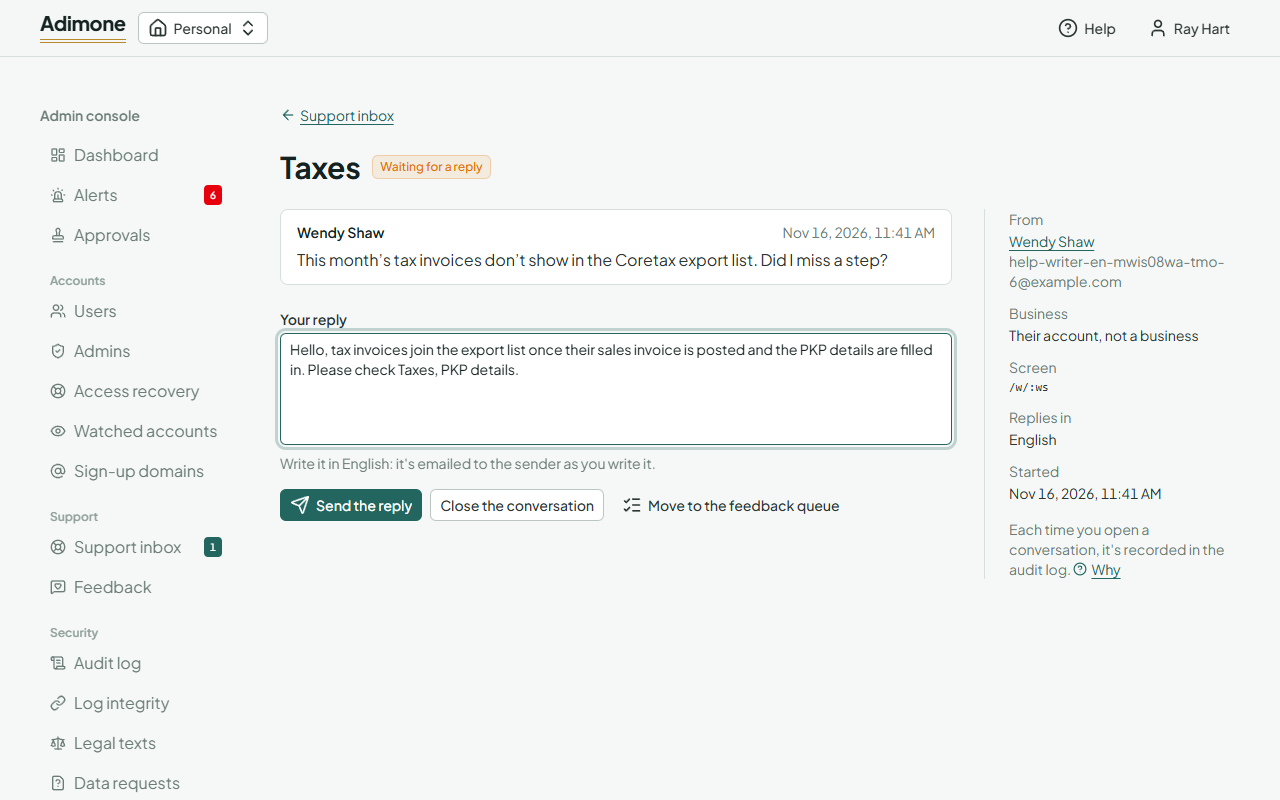
If someone else changed the conversation while you were reading it (replied, closed or moved it), your action is refused with a message and the page shows what is there now.
Move a message to the feedback queue
Some messages are really a bug report or a feature request. Choose Move to the feedback queue, then Bug or Idea, and Move it. The message becomes a report in the queue with the sender's account kept, the conversation is closed, and the user sees that it was moved.
What is recorded
A message may contain figures from the sender's books, so each time you open a conversation the read is recorded in the audit log, as are every reply, close and move. The inbox list itself shows no message text and isn't recorded. Closed conversations are deleted a year after they closed (the feedback.messages policy under Maintenance).
Triage feedback
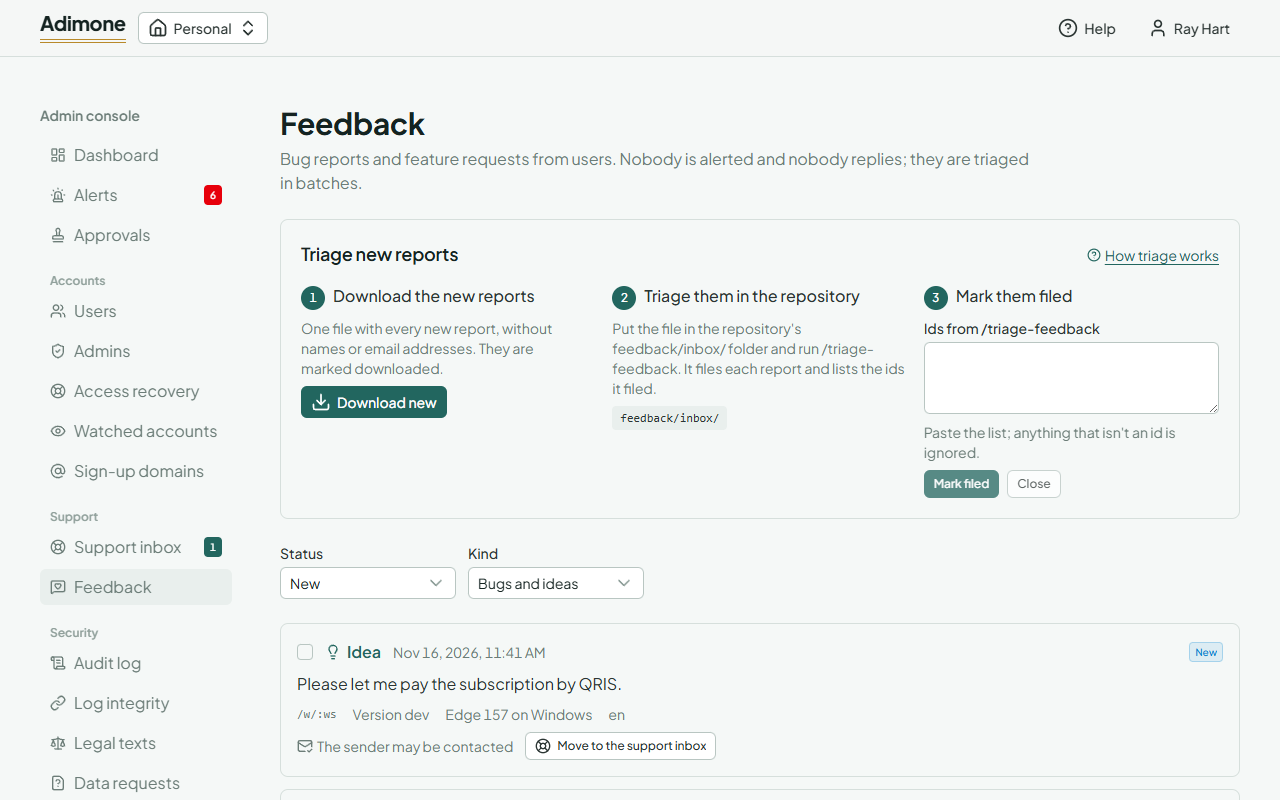
Reports are triaged outside the app, in three steps shown at the top of Feedback:
- Download the new reports. Choose Download new. You get one file,
feedback-<date>-<batch>.json, with every new report's text, screen, app version and language, but no names, email addresses or businesses. The reports become Downloaded. If nothing is new, the console says so. - Triage them in the repository. Put the file in the repository's
feedback/inbox/folder (it's never committed) and run/triage-feedback. It files each report as a bug, a request or a help gap indocs/feedback/, and lists the ids it filed. - Mark them filed. Paste that list into Ids from /triage-feedback; anything that isn't an id is ignored. Choose Mark filed, or Close for reports that need nothing. You can also tick reports in the list and use the buttons that appear.
| Status | What it means |
|---|---|
| New | Sent, not yet downloaded. |
| Downloaded | In a downloaded file, waiting for triage. |
| Filed | Triaged into docs/feedback/. |
| Closed | Needs nothing. Filed and closed reports are deleted a year later (feedback.items). |
Each downloaded report shows its batch. Choose it to see only that batch, and Download this batch again if the file was lost; that download is recorded in the audit log.
Move a report to the support inbox
When a report needs an answer, and its sender ticked You may contact me about this (the report shows The sender may be contacted), choose Move to the support inbox. It becomes a conversation from that sender and the report is closed. A report sent without that consent keeps no trace of its sender, so it can't be moved.