
Handle security alerts
See what the detection rules raised, take an alert, look into it and close it; switch rules and their automatic responses.
Adimone reads the audit log every few seconds and raises an alert when something looks wrong: many failed sign-ins, a sign-in from a new country, an account locked, the audit log tampered with, a payment held. Security admins and auditors see them under Alerts in the admin console; the number next to it counts the open alerts and turns red while a high or critical one is live. Security admins and superadmins also get an email for each new high or critical alert.
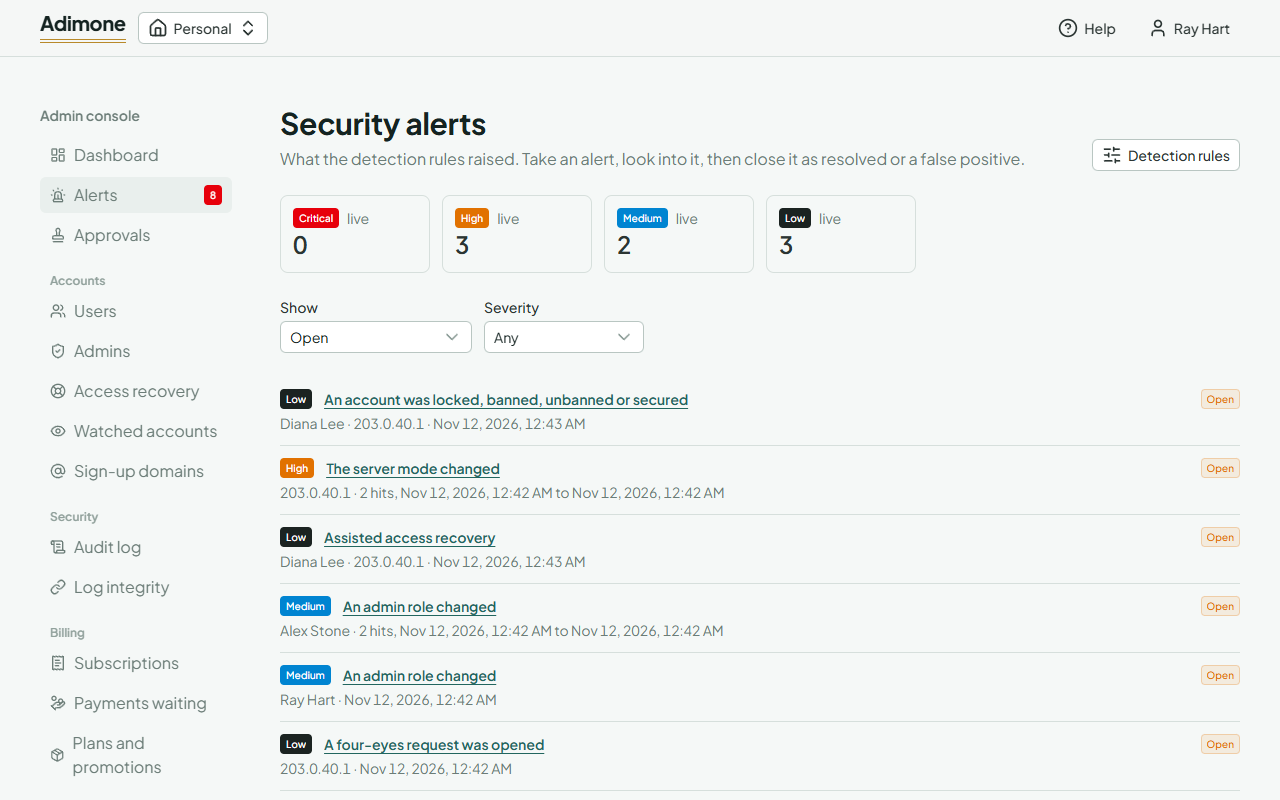
The counts at the top are the live alerts (open or acknowledged) by severity. Show picks the status, Severity narrows the list. A repeated event joins its alert instead of raising a new one, so an alert says how many hits it had and between when.
Look into an alert
Choose an alert to open it. It shows the account and address it is about, the facts the rule recorded (a place, a distance, a number of reads) and its Evidence: the audit events that raised it. Open an event to see everything recorded, or follow the account to its security timeline and the address to every account that used it.
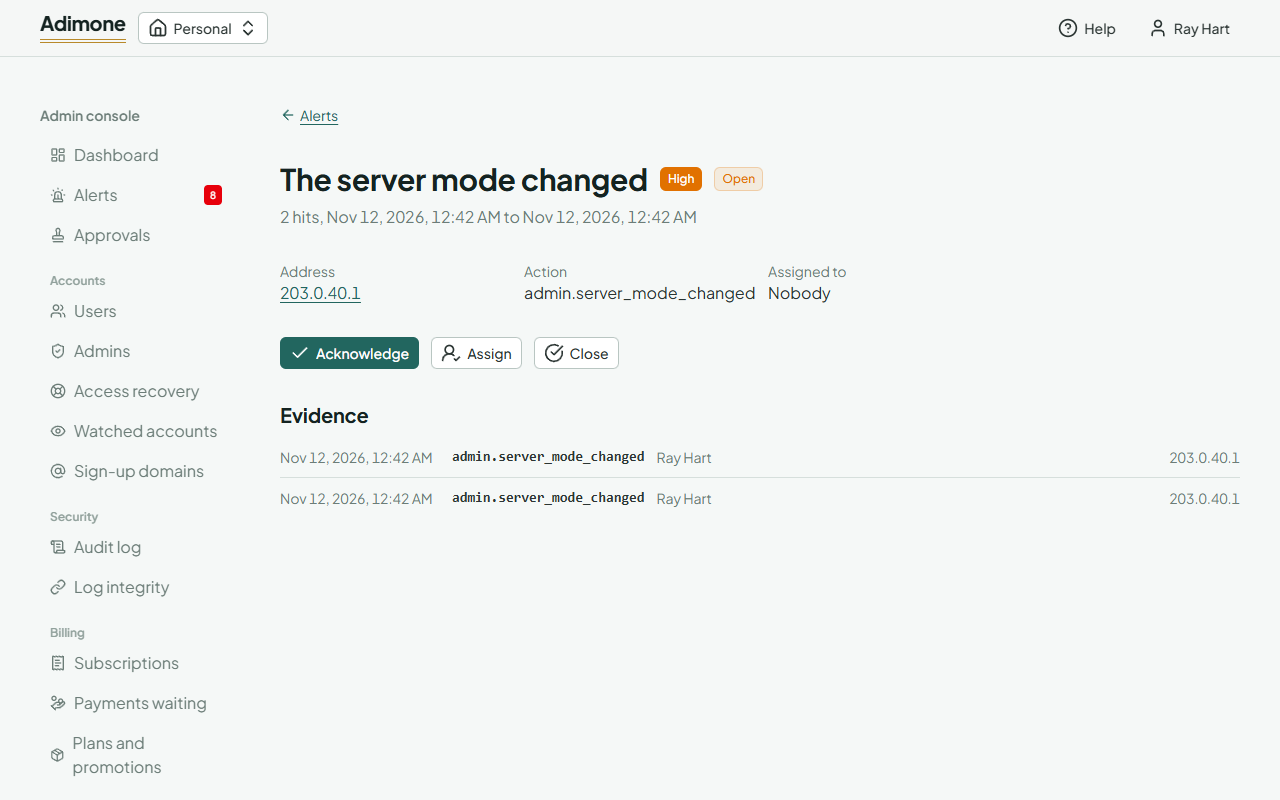
Security admins act on an alert:
- Acknowledge says you are looking into it; the alert becomes yours unless someone already has it.
- Assign gives it to another security admin or superadmin.
- Close ends it as Resolved (something happened and was dealt with) or False positive (nothing was wrong), with a note on what you found. Later events of the same kind raise a new alert.
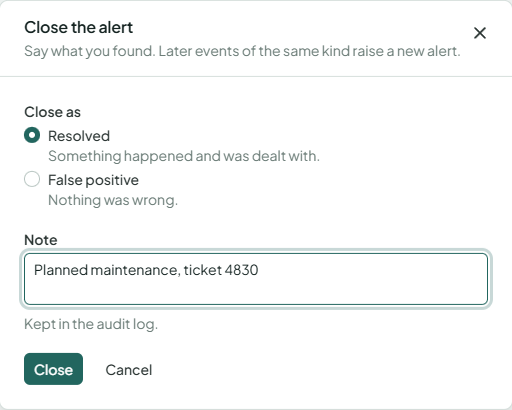
Each change asks you to confirm with a passkey if you haven't in the last few minutes, and is kept in the audit log.
Detection rules
Choose Detection rules on the alerts page to see every rule, its severity and whether it is on. Superadmins choose Change to switch a rule off when it is only noise for your server (a switched-off rule raises nothing) or to let it act by itself.
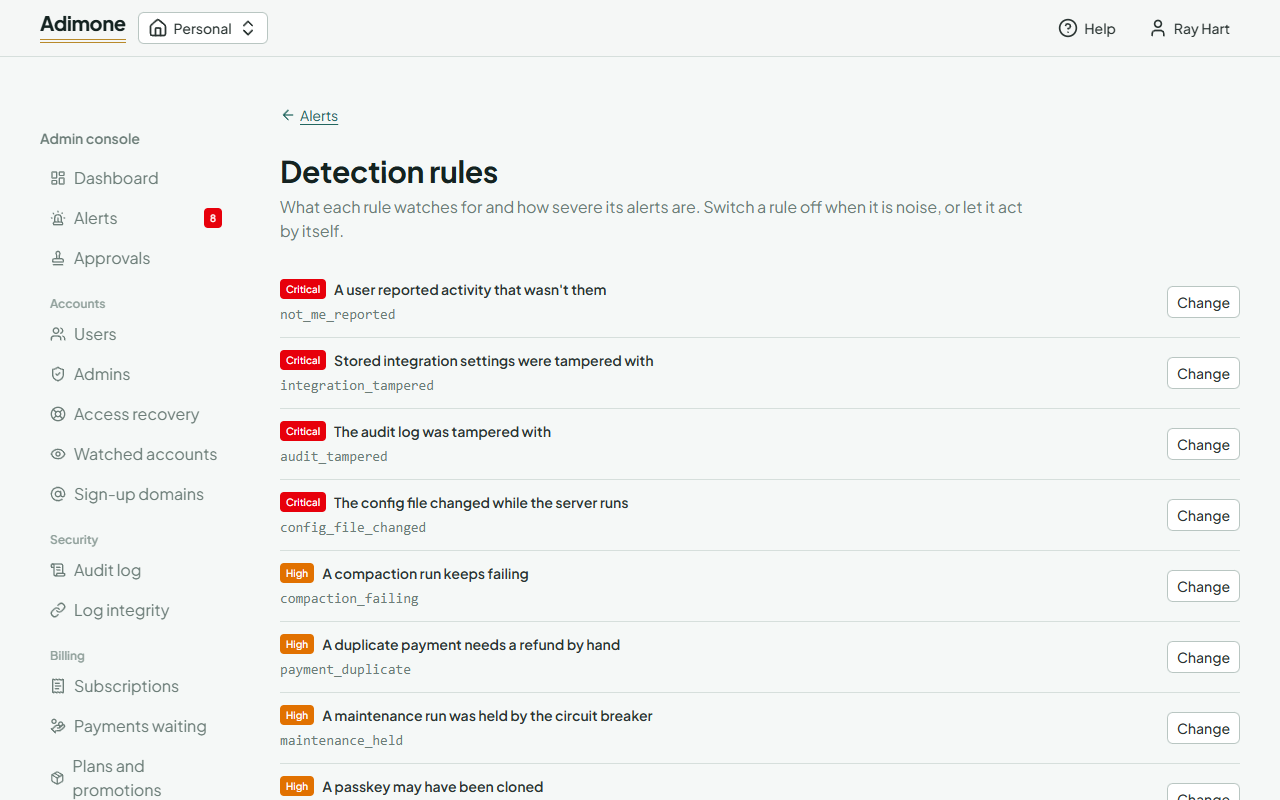
A few rules can act by themselves on a new alert about an account: lock it for 24 hours, or sign it out everywhere. This is off by default and never applies to admin accounts, so nobody can lock the console's people out by tripping a rule. Other superadmins get an email whenever a rule changes.