
Check your security activity
See every sign-in, failed attempt and change to how you sign in, to spot anything you didn't do.
Go to Account and security and find Security activity. It lists, newest first:
- sign-ins, new sessions and failed attempts (a wrong password, too many attempts, a wrong second-step code);
- devices signed out, by you, by an administrator or automatically;
- changes to your password, email address, authenticator app, passkeys, recovery codes and linked accounts;
- account locks and account recovery requests.
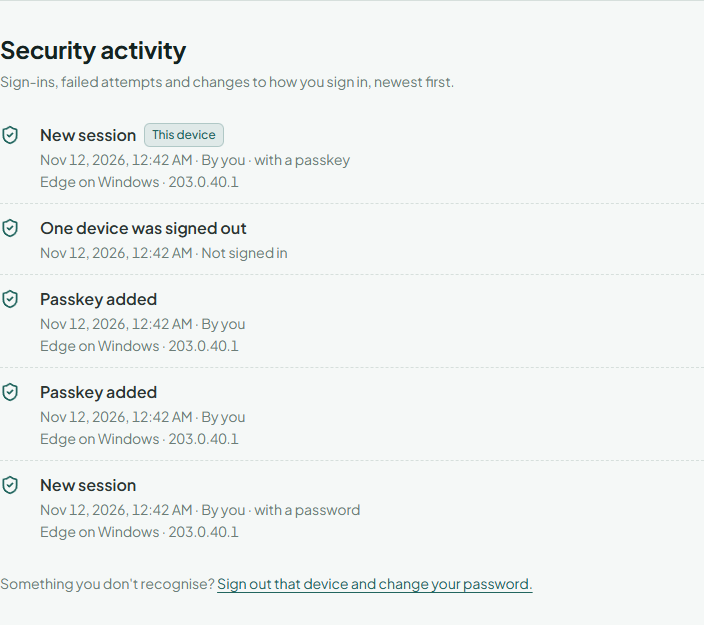
Each entry says who did it (By you, By an administrator, Automatically, or Not signed in for attempts from someone who isn't signed in), how a sign-in was made, and the device and address it came from. The entry from the device you're using is marked This device. When an administrator acted on your account, the list says so but doesn't show their address or notes.
Something you don't recognise
- Sign out that device.
- Change your password and turn on two-step verification if it's off.
- If our email told you about a change you didn't make, use its "this wasn't me" link.